For Shabiki login, choose the route that matches your situation: ordinary sign-in, password recovery or help with account ownership. A page that will not load needs different checks from a form that rejects your credentials. Start with the decision below rather than assuming that every access problem requires a new password or another account.
Before you sign in: existing account, lost access or new account?
Already registered? Open the operator’s website and use its sign-in control. Forgotten your password? Use the recovery option shown on that website rather than creating another account. If you no longer control the registered number, ask the operator about its account-ownership process. If you have never registered, review the operator’s eligibility rules and terms before choosing its account-creation option. Do not create a new account to get around a restriction or self-exclusion.
Registration is for a new customer; recovery is for someone who already has an account. An old screenshot or tutorial may show different button wording, so use the purpose of the live control—not its colour or remembered position—to distinguish account creation from sign-in.
Find the operator’s sign-in page
Start with the linked operator’s domain rather than an advertisement, a forwarded message or a betting-review site’s own account form. Automated access to the website was denied during the earlier review, so the domain is a navigation starting point, not evidence of a tested sign-in flow.
If you searched for “Shabiki .com login”, the space in that phrase is not part of the website address. Check the actual browser address before entering information. A padlock does not prove that a site is genuine: an imitation website can also use an encrypted connection.
The following checks distinguish the operator’s account form from unrelated website controls. Complete them before typing credentials, especially when arriving from a search result or review article.
- Destination: Confirm that the page belongs to the operator’s domain, not a lookalike spelling or a third-party referral endpoint.
- Form ownership: Use the bookmaker’s sign-in control. A publisher’s “Remember me” or password-reset window may belong only to that publisher.
- Link purpose: A registration button creates an account; an app-download button installs software. Neither should be assumed to open an existing account’s login form.
Verification limits: this guide has not confirmed a deep login URL, email sign-in, the reset delivery method, a current app distribution link or an account-support contact. Use the controls on the operator’s website; do not substitute third-party instructions for a live form.
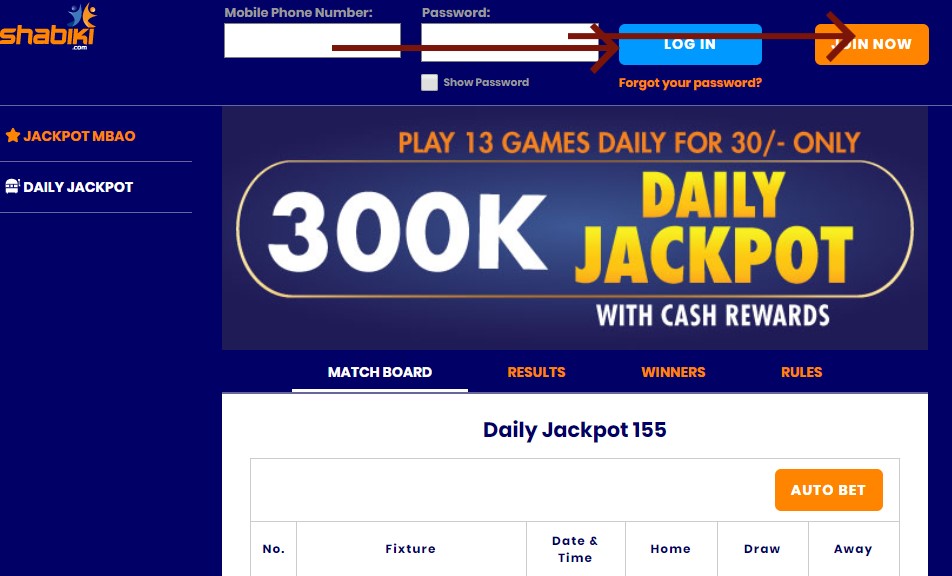
Sign in with an existing account
The source guide describes a registered mobile number and password as the login credentials. Use the number associated with your account and follow the format requested by the live form. Do not assume that an email address is interchangeable with the registered number, or that a particular local or international number format will be accepted.
Once you have located the operator’s form, work through these steps. Button wording and field layout can change, so the current interface takes precedence over an old screenshot or tutorial.
- Open sign-in: Choose the login or sign-in control on the operator’s website.
- Enter credentials: Supply the registered number and your password, checking for typing errors or unwanted spaces.
- Submit: Follow any additional verification instructions displayed by the genuine site.
- Check access: Confirm that you have reached your own account before reviewing balances or attempting any transaction.
Never share your password or verification codes, including with someone claiming to help through social media. On a shared device, decline password saving and sign out when finished. Closing a browser tab is not a reliable substitute for ending an authenticated session.
Shabiki will not open or sign in: choose the next safe step
Start with what you can observe. A page that will not load, rejected credentials and an explicit account restriction need different next steps. The checks below are general decision guidance, not a claim that the operator uses a particular error message or unlock policy.
| What you see | Next safe action | Do not assume |
|---|---|---|
| Website does not load | Check connectivity, the browser address and an up-to-date browser | That your password is wrong or a deposit will restore service |
| Page loads but rejects credentials | Check the registered number, visible format instructions and saved password; use genuine recovery if needed | That email is accepted or repeated guessing will unlock access |
| Registered number is no longer yours | Ask official help about its ownership-check process | That you should use a relative’s account or send documents to a social-media contact |
| A restriction or self-exclusion is indicated | Follow genuine support guidance; respect self-exclusion and seek independent support where needed | That a new account, app or paid intermediary is an appropriate workaround |
| You can sign in but have an M-PESA problem | Treat payment as a separate task and follow the live cashier or genuine help route | That successful login verifies payment eligibility or that a PIN belongs in a login form |
Quick access diagnosis
Cannot load the page? Check the address and connection before changing credentials.
Can load it, but cannot sign in? Check the registered identifier and saved password, then use the recovery option shown on the genuine site if needed.
Cannot access the registered number? Ask genuine operator support about account ownership; do not guess the verification requirements.
See a restriction or self-exclusion message? Stop repeated attempts. Do not pay an intermediary or try to bypass the restriction.
Can sign in, but money is missing or a payment failed? Keep that separate from login recovery and follow the genuine support channel’s secure instructions. Never share your M-PESA PIN, password or verification code.
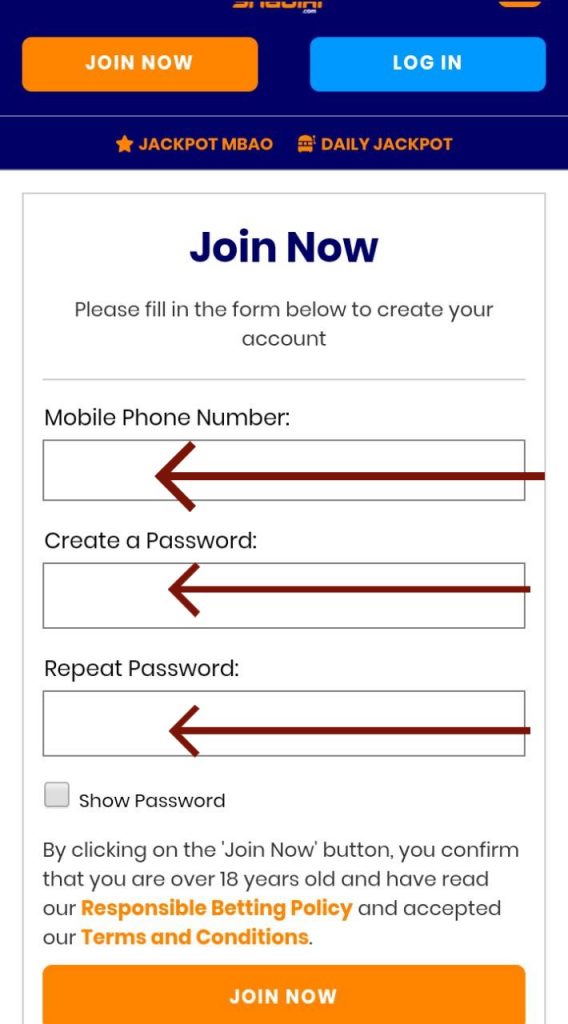
Shabiki login Kenya on mobile phone
Using your smartphone;
- Press “Shabiki bet login.”
- Enter the requested details
- Get into your account quickly and start preparing your bets
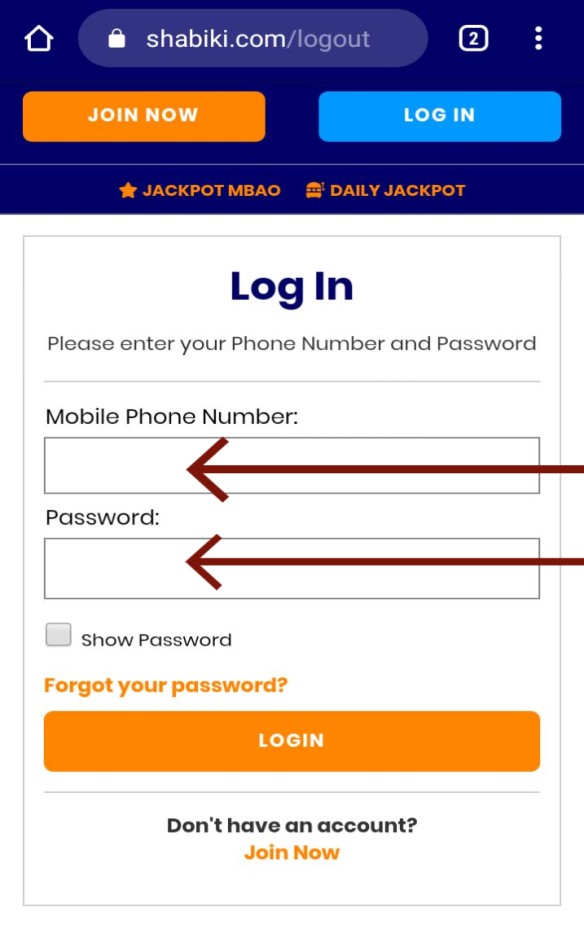
The page loads, but your credentials are rejected
Check the registered number, the format requested by the live form and any unwanted spaces. Make sure your password manager has not inserted an old password. If you cannot remember the password, use the recovery option on the genuine website rather than repeatedly guessing.
Check keyboard case when entering a password. If a saved value is outdated, correct the password-manager entry only after confirming that its replacement works. A failed attempt alone does not identify the cause, and this guide does not establish an automatic unlock period.
A one-time password (OTP) is a temporary verification credential, not your reusable password. A reset link or one-time code can be part of recovery, but neither is confirmed as the present process here. Follow the displayed instructions rather than expecting a particular delivery method or timing.
You no longer control the registered number
Ordinary password recovery may not establish ownership if you cannot access the registered number. Reach the help or contact option from the operator’s website and ask for its official ownership-check process. Do not send passwords, verification codes, M-PESA PINs or identity documents to an unverified contact.
Message outline: ‘I cannot access my account because I no longer control the registered number. The page says: [exact error, with personal details removed]. I am using [device/browser] and have tried [steps]. Please explain your official account-ownership process.’ Do not include passwords, OTPs, M-PESA PINs or identity documents in this first message.
Replace the bracketed prompts with your own details before sending; they are fields in the message outline, not operator requirements. Follow the genuine support channel’s instructions for any later sensitive-information request. No document checklist is established here.
Access is restricted or you chose self-exclusion
Do not assume a restriction is a typing error. If the website reports a restriction, ask genuine operator support what it means; do not try another person’s account or create another account to bypass it. If the restriction relates to self-exclusion, seek independent support rather than a route back into betting.
Another person’s permission does not establish that sharing their account is allowed. It can complicate identity checks, payment ownership and disputes. Account access is not a reason to reverse a protective decision.
Use a mobile browser without assuming an app is available
A mobile website runs in your phone’s browser; an installed app is a separate product. Use the same destination checks and credential precautions for either route. The browser route is the linked website, not a separately tested mobile sign-in service.
You do not need an APK to open the operator’s website in a mobile browser. No current app distribution link has been verified for this guide. If you choose an app, reach its distribution route from the operator’s website and check the publisher; do not use a file sent by an unknown contact.
Kenya check: an M-PESA issue is not a login step
Signing in and making an M-PESA payment are separate tasks. Do not deposit money because a message or intermediary says it will unlock your account. If you can sign in but need payment instructions, obtain the current details from the operator’s live cashier; do not rely on an old paybill in a review article. Never enter your M-PESA PIN into an ordinary betting login form or disclose it to someone offering account help.
A successful sign-in does not confirm payment eligibility, account verification status or access to a particular product. Obtain the current paybill, account reference and limits from the live cashier. If reporting missing money or a failed payment, follow the genuine support channel’s secure instructions rather than publishing account or transaction details in comments.
Licensing verification: regulatory permission is not a promise of winnings, uninterrupted service or protection from every security risk. Check the website’s legal operator name and licence details against the relevant Kenyan authority’s records. Older references to the Betting Control and Licensing Board (BCLB) are not proof of present authorisation; no current licence or licence number is asserted here.
The following government-domain resource is a starting point for checking the responsible authority and its published records. It is not confirmation of this operator’s licence status.
- Kenyan gambling regulator: Consult current official information and records before relying on a licensing claim.
Related guides
Responsible gambling and independent support
Account access should not become a reason to resume gambling when you need a break. Set affordable spending and time boundaries before playing, and ask the operator about available cooling-off or self-exclusion arrangements if gambling is becoming difficult to control. Their exact availability and duration must be checked with the operator.
Do not chase losses or gamble with borrowed money. If a restriction exists because of self-exclusion, seek support rather than another route into betting. Independent help can also be useful for family members affected by someone else’s gambling.
The following service offers information and support for gambling-related harm internationally. It is separate from account support and cannot reset a betting password or release a withdrawal.
- Gambling Therapy: A global service offering free practical advice and emotional support, with resources for individuals and affected families.
Access objections before you try again
These questions address suspicious approaches and ambiguous messages, rather than repeat the sign-in and recovery steps above.
Someone says I must pay to unlock my account. What should I do with their message?
Do not pay an unofficial unlocking service or transfer money to an intermediary who claims it is a recovery step. Preserve suspicious messages without following their links, and reach the operator independently through its website to ask about the approach. A branded profile picture or knowledge of your phone number does not establish authority.
Does a bet-confirmation text mean someone has signed into my account?
Not necessarily. A betting receipt and a login alert serve different purposes. If you did not place the bet, reach the website independently and inspect account activity where available. Contact the operator about unfamiliar activity without following links in a suspicious message.
Can I seek help about a relative’s gambling without signing into their account?
Yes. You can approach Gambling Therapy as an affected family member for practical advice and emotional support. That is separate from trying to recover or use the relative’s betting account: seeking help does not require finding an access workaround or reversing their self-exclusion.